
The ultimate stopwatch app overview
A category map of stopwatch and timer apps — basic stopwatches, interval timers, countdowns, lap-split, and multi stopwatches — and how to pick the right one.

Search for the best stopwatch app and the store hands you hundreds of nearly identical icons — and almost no help telling a kitchen timer from a tool you could actually coach with. This overview maps the categories instead: what each kind of stopwatch or timer app is built for, where it breaks down, and how to match one to your job in minutes.
This guide grew out of the survey we ran while building Herotime: we downloaded and tested a very large share of the stopwatch apps on the market to understand what already existed — and learned that the differences between apps are almost never about polish. They are about category. Individual apps come and go with every store refresh, so we no longer review them by name; the categories below are stable, and once you know which one you need, judging any specific app takes about a minute.
A map, not a ranking
(Want the ranking anyway? We keep one honest shortlist with names on it — the best stopwatch apps for coaches — including the scenarios where ours is not the pick.)
There is no single "best stopwatch app," because a stopwatch app is really five different tools wearing the same icon. The store rankings won't tell you which is which — the top-ranked stopwatch apps are usually the most minimal ones, installed by millions of people who need to time a tea, not a heat. So before comparing apps, decide which of these questions you are answering:
- How long did that take? → a basic stopwatch.
- Tell me when time is up. → a countdown timer.
- Pace my work/rest cycles. → an interval timer.
- How fast was each lap? → a lap & split stopwatch.
- How fast was each athlete, on every lap? → a multi stopwatch.
Basic stopwatch apps
The digital twin of the classic handheld: start, stop, reset, sometimes a lap button. Your phone's built-in clock app already is one, and it is genuinely hard to improve on for its purpose — timing one thing, casually. The better basic apps distinguish themselves with big, unmissable buttons, a display readable at arm's length, and times that survive an accidental app switch.
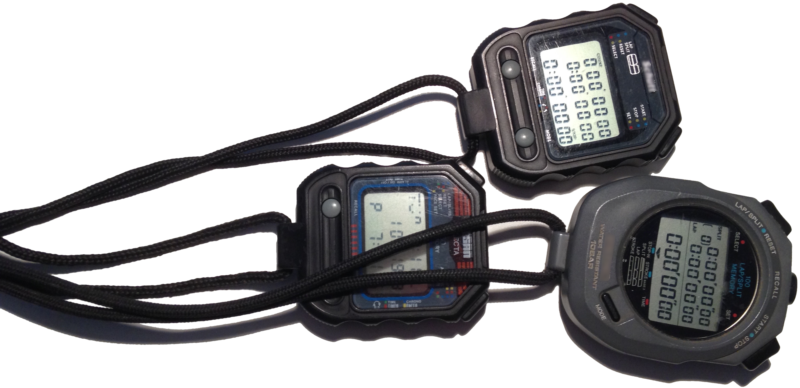
Where the category ends: the moment a second athlete enters the picture, or the moment you need the times afterward. A basic stopwatch keeps one running total and forgets it when you reset. For classroom experiments, casual runs, and board games, it does the job; for coaching, it is the tool you end up holding three of.
Countdown timers
A timer is the stopwatch's mirror image: you specify the duration in advance, and the app tells you when it has elapsed. That inversion makes timers nearly useless for sports timing — a race does not announce its duration beforehand — but ideal for everything with a fixed time budget: rest periods, exam sections, cooking, parking meters. Multi-timer apps that run several countdowns side by side belong here too; despite the "multi" in their store listings, they answer "when is each thing done?" rather than "how fast was each athlete?"
Interval and HIIT timers
Interval timers are countdown timers with a repeat structure: work 40 seconds, rest 20, repeat eight times, three rounds. Good ones let you build and save these structures, and they signal transitions loudly enough to be heard mid-burpee. For HIIT sessions, tabata, circuit training, and any coach-led conditioning where the schedule matters more than the measurement, this is the right category — and no stopwatch replaces it.
The reverse is equally true: an interval timer never measures anything. It paces effort; it cannot tell you whether the effort got faster.
Lap & split stopwatches
The first genuinely sporting category: a stopwatch with a lap/split button that records intermediate times while running. This is the single-athlete sports stopwatch app — perfect for timing your own track repeats, one swimmer's set, or one car's practice laps. The better ones show both lap times (each segment) and split times (cumulative), keep a session history, and let you export it.
Two things to check before trusting one at the track: whether the timing buttons are large enough to hit without looking, and whether the app supports the phone's physical buttons — because glancing down at a screen at the exact moment an athlete crosses the line is how splits get missed. The category's hard limit is in its name: one athlete. Point it at a relay, a lane of swimmers, or a training group, and you are back to juggling devices.
Multi stopwatch apps
The multi stopwatch exists to time several things at once — and here the store listings deserve real scrutiny, because most apps in the category are not what a coach means by the term. The typical multi stopwatch app is simply a scrollable stack of independent basic stopwatches, each with its own small start, stop, and lap buttons. That design works when events are minutes apart. It collapses in real sports timing: when three swimmers hit the wall within two seconds, nobody can find and press three separate small buttons in time — let alone press the right ones without looking away from the pool.
So when evaluating a multi stopwatch, ignore how many stopwatches it can display and ask instead: what happens when several athletes finish close together? An app has solved multi-athlete timing only if the answer never involves aiming at a per-athlete button.

The best stopwatch app for sports timing
For coaches, timekeepers, and sports parents, the checklist that actually separates a usable sports stopwatch app from a clock with ambitions looks like this:
- One action per timing event — a tap when someone crosses the line, nothing to aim at, nothing to choose.
- Eyes-up operation — ideally via the phone's physical volume button, so you time by feel while watching the athletes.
- True multi-athlete capture — staggered starts, group starts, and near-simultaneous finishes without button roulette.
- A real timing history — per-athlete series of start, splits, and finish, kept across sessions and exportable (CSV), not a screenshot-and-transcribe workflow.
The first three requirements together are the hard part, and they are why we ended up building — and patenting — a different mechanism rather than another stack of stopwatches. Herotime is a single-button multi stopwatch: the mode of your tap starts one athlete, a group, or everyone, and during the run every tap is assigned to the right athlete automatically (US Patent 11,080,947 B2). It is the tool for the "several athletes, one timekeeper" scenario specifically — not a replacement for an interval timer, a countdown, or the perfectly good basic stopwatch already on your phone.