
The best stopwatch apps for coaches (2026)
An honest comparison of stopwatch apps for sports coaches — Apple's built-in stopwatch, lap & split apps, interval timers, photo-finish apps like SprintTimer, and multi stopwatches like Herotime — matched to the timing job each one actually wins.
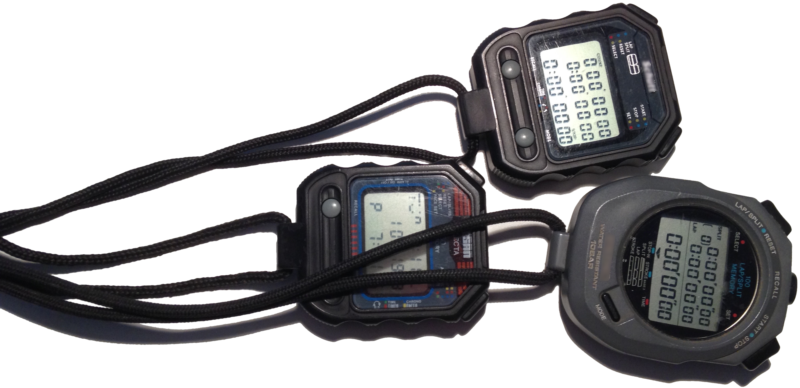
"Best stopwatch app" is the wrong question — a coach's timing jobs are too different for one app to win them all. This comparison matches six kinds of timing tools to the jobs they actually win. Full disclosure up front: we build one of them (Herotime), so we've marked plainly where ours is not the right pick.
How to read this comparison
Our stopwatch app overview explains why we normally map categories instead of reviewing apps by name: individual apps churn with every store refresh, categories don't. This page is the exception coaches kept asking for — a shortlist with names on it. We've kept it honest by only naming tools that have been around for years, and by scoring every row on one question: what are you timing, and how many of them are there?
The comparison table
| Your timing job | Best tool | Why |
|---|---|---|
| One thing, casually | Apple's built-in stopwatch | Free, already installed, impossible to beat for its purpose |
| Your own laps & repeats | A lap & split stopwatch app, or the Apple Watch | One athlete, intermediate times, on your wrist or in your pocket |
| Pacing work/rest cycles | A dedicated interval timer | Paces the schedule loudly; measuring isn't the point |
| Exact placings at a finish line | A photo-finish app (e.g. SprintTimer) | The camera settles close finishes better than any thumb |
| Several athletes, one timekeeper, all session | A single-button multi stopwatch (Herotime) | Starts, splits, and finishes for a whole squad without aiming at buttons |
| Official meets & races | Chip timing / photo-finish systems | Sanctioned results need dedicated hardware, not a phone |
Apple's built-in stopwatch
Wins: timing one thing, casually. It's free, it's on every iPhone, the buttons are huge, and it survives an app switch. For a classroom experiment or one athlete's single effort, installing anything else is overthinking it.
Loses: the moment a second athlete enters the picture, or the moment you need the times afterward. There's no per-athlete anything, no history worth the name, no export.
Lap & split stopwatch apps
Win: one athlete, many intermediate times — your own track repeats, one swimmer's set. Good ones show laps and cumulative splits, keep a history, and export it. Check two things before trusting one at the track: buttons you can hit without looking, and support for the phone's physical buttons. The Apple Watch's stopwatch belongs here too — hard to drop in a pool, always on your wrist.
Lose: the category's hard limit is in its name — one athlete. Point it at a relay or a lane of swimmers and you're back to juggling devices.
Interval timers
Win: HIIT, tabata, circuit training — any session where the schedule matters more than the measurement. Long-standing apps like Seconds let you build work/rest structures and signal transitions loudly enough to be heard mid-burpee. No stopwatch replaces them.
Lose: they never measure anything. An interval timer paces effort; it cannot tell you whether the effort got faster.
Photo-finish apps (SprintTimer)
Win: exact placings and times at a finish line. SprintTimer has been the reference in this category for over a decade: it uses the iPhone's camera as a photo-finish system, which settles a blanket finish more accurately than any human thumb ever will. For time trials and sprint days where placings matter, it's the honest pick — not us.
Lose: the camera watches one line. Photo-finish apps capture the finish, not the session — staggered starts across a workout, per-athlete splits lap after lap, and eyes-up operation while athletes are mid-set are outside the design.
Multi stopwatches (Herotime)
Win: the "several athletes, one timekeeper" scenario, across a whole session — a lane of swimmers, a training group on the track, a heat of kids in PE. Most apps sold as "multi stopwatches" are a scrollable stack of small per-athlete buttons, which collapses when three athletes finish within two seconds. Herotime replaces the stack with one button — even the iPhone's physical volume button: the mode of your tap starts one athlete, a group, or everyone, and during the run every tap records the next split, auto-assigned in circular order (U.S. Patent 11,080,947 B2). Sessions export as CSV.
Loses: everything above. Timing one thing? The built-in stopwatch is free. Pacing intervals? Wrong tool entirely. A blanket sprint finish where placings decide? The camera beats the thumb — use a photo-finish app. Herotime earns its place only when several athletes run at once and one person holds the watch.
Chip timing & meet systems
Win: official results. Sanctioned meets and races use transponder chips, touch pads, and dedicated photo-finish cameras for a reason — accountability, capacity, and rulebooks. No phone app, ours included, replaces them. Where the line runs between handheld and system timing is its own topic: see sports timing systems, from photo-finish to handheld.
Lose: Tuesday practice. Cost and setup make them meet-day tools; training weeks belong to the categories above.
The bottom line
Pick by scenario, not by store ranking: built-in for casual timing, lap & split for yourself, an interval timer for pacing, SprintTimer for the finish line, chip timing for meets — and a single-button multi stopwatch when several athletes run and you're the only one timing. That last job is the one we built Herotime for; the FAQ covers what coaches ask before trying it.